Author: Sam Whitfield

  • 6. Building a Multi-Brand Demo Library Without Losing Consistency

    6. Building a Multi-Brand Demo Library Without Losing Consistency

    Building a Multi-Brand Demo Library Without Losing Consistency

    Maintaining brand consistency across multiple product lines or companies can be challenging. As product managers, software engineers, customer success teams, and technical writers create product walkthroughs, they often struggle with maintaining consistency across multiple brands. It’s a common pain point, but a manageable one. In this article, we’ll explore the benefits of building a multi-brand demo library without losing consistency, and how to achieve it. We’ll cover the advantages, how AI can help, best practices, and common challenges, equipping you to create a unified and effective content strategy.

    The Benefits of a Multi-Brand Demo Library

    Streamlined Content Creation

    A multi-brand demo library dramatically reduces redundant effort. Instead of recreating similar walkthroughs from scratch, teams can leverage existing assets as templates or building blocks. This frees up valuable resources to focus on creating unique and engaging content. Consider a software suite with multiple modules; a centralized approach allows for variations and customizations while maintaining a core foundation.

    Enhanced Brand Consistency

    Brand consistency extends beyond visual elements to include tone of voice and messaging. A unified demo library enforces this consistency across all brands, strengthening brand perception and reinforcing the value proposition. Disparate demo styles can create confusion and erode trust.

    Improved Knowledge Sharing and Collaboration

    A centralized demo library becomes a valuable knowledge repository for the entire organization, enabling new team members to quickly onboard and facilitating cross-functional collaboration.

    Scalability and Future-Proofing

    As a company expands, a multi-brand demo library provides a scalable foundation for content creation, making it easier to adapt to changing market conditions. For more on optimizing video creation, see our guide to choosing the right shape for every channel.

    How Demofable’s AI Video Editor Can Help

    Automated Editing and Assembly

    Demofable‘s AI video editor streamlines the demo creation process by automating tedious tasks like removing filler words and adding transitions. This allows teams to focus on the creative aspects of content creation and ensuring brand alignment. The AI can adapt the editing style to match brand guidelines.
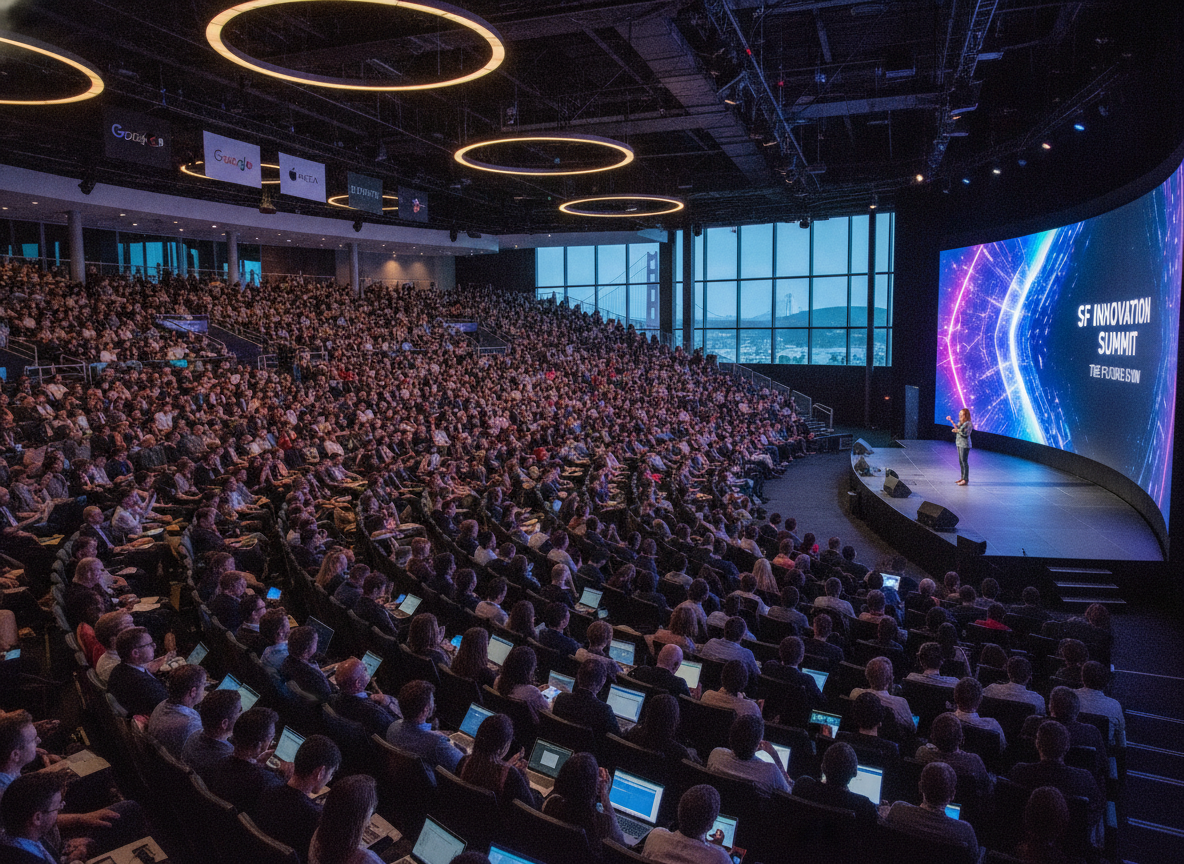
    tech conference

    Photo by Quixess Social

    Template Creation and Customization

    The solution facilitates the creation of reusable templates that ensure consistency in visual style, messaging, and structure. Teams can create a master template and customize it with brand-specific elements. For instance, a company with financial products can create a template for account setup, then customize it for each product.

    Centralized Asset Management

    Demofable provides a robust asset management system for storing and organizing video clips, images, and other resources, ensuring accessibility and version control. The system also provides insights for optimizing the content strategy.

    AI-Powered Redaction and Privacy Protection

    Maintaining privacy is crucial when creating demo videos. The platform’s AI-powered redaction capabilities automatically identify and redact personally identifiable information (PII), ensuring compliance with privacy regulations. It’s a feature that’s increasingly vital, as demonstrated in our discussion of why we don’t trust AI redaction alone.

    Best Practices for Building a Multi-Brand Demo Library

    Establishing a Centralized Style Guide

    A meticulously crafted style guide is essential for maintaining visual and narrative consistency across diverse products and target audiences. This encompasses tone of voice, demo pacing, and transitions. A detailed style guide ensures consistency and streamlines the review process.
    Wooden tiles spelling 'Manage Your Assets' offer conceptual business advice.

    Photo by Brett Jordan on Pexels

    Leveraging Modular Content Blocks

    To avoid redundant recording and editing, adopt a modular approach to content creation. Break down common workflows into reusable blocks that can be assembled into demos tailored to each brand’s needs. This modularity facilitates updates and ensures accuracy. This builds upon the efficiency explored in our article on one recording, two deliverables.

    Data-Driven Optimization & A/B Testing

    A demo library should be continuously optimized. Track key metrics such as view duration and completion rate. A/B testing different demo styles can provide valuable insights. Data from 2024 showed that videos with shorter introductions performed 15% better in terms of completion rates.

    Overcoming Common Challenges

    Navigating Brand-Specific Legal and Compliance Requirements

    Working with multiple brands means navigating legal and compliance requirements. A dedicated compliance checklist, reviewed by legal counsel, is essential.

    error message screen

    Photo by Quixess Social

    Maintaining Consistency Across Distributed Teams

    Maintaining consistency across distributed teams requires clear communication channels, standardized templates, and regular training sessions. Consider implementing a peer review process. Many teams find value in revisiting best practices for different channels to ensure cohesive messaging.

    Conclusion

    Building and maintaining a multi-brand demo library requires a strategic approach centered on consistency, efficiency, and adaptability. A comprehensive style guide, modular content blocks, and data-driven optimization are essential. By embracing these best practices, organizations can transform their demo libraries into a powerful asset that drives engagement, accelerates onboarding, and strengthens brand loyalty. To further refine your content strategy, consider exploring our guide on content calendar planning for demo teams.


  • **Product education (using demofable)**

    **Product education (using demofable)**

    Why Product Teams Are Ditching Separate Tools for AI Video Editors

    Product managers and technical writers spend hours juggling multiple tools: a screen recorder, a video editor, a documentation platform, and a design tool just to create one product demo

    The result is fragmented workflows, duplicate effort, and demos that feel disjointed because the video and the written guide don’t actually align

    This article explores how modern AI video editors are consolidating this workflow and why that shift matters for cross-functional teams in 2026

    The AI handles the tedious editing work

    The automation removes the manual labor that consumes most of a video editor’s time. The system removes silence and dead air, zooms into relevant screen regions automatically, writes descriptive captions from the narrator’s voice, timestamps each action, and extracts high-resolution screenshots for inclusion in the documentation. Teams choose output formats on demand, widescreen for your website, vertical for social media, square for LinkedIn, all derived from a single recording without re-shooting or re-editing.

    Technical writers benefit equally. Instead of watching hours of video or writing from memory, this solution surfaces a complete step-by-step breakdown with accompanying images already prepared. The writer’s role shifts from transcription and guesswork to refinement: fact-checking terminology, clarifying ambiguous steps, and adding domain-specific context that the AI cannot infer. Documentation that once took days to write from scratch now requires hours of focused review and polish.

    The Control You Keep: Why This Isn’t a Black Box

    Review before publish

    AI-generated output never ships without human eyes on it. Demofable surfaces every editorial decision before export, you see exactly which segments were cut for pacing, where the system applied zoom to highlight UI elements, and what narration it generated. This review step is mandatory, not optional. You control the final output at a granular level: regenerate specific sections without re-recording, edit captions word-by-word, adjust playback speed, or swap the AI voice for your own recording. A product manager can tighten a demo’s pacing in seconds. A technical writer can refine narration tone. An engineer can flag a misidentified button and have the system regenerate just that moment. No re-recording. No starting over.

    transparent technology dashboard

    Photo by Quixess Social

    Privacy and sensitive data flagging

    The solution automatically detects and flags sensitive information captured on screen, customer names, email addresses, account IDs, API keys, before rendering. You decide whether to blur, redact, or replace each flagged element. This layer of human-in-the-loop redaction catches what pixel-level detection alone might miss. Brand consistency applies automatically across all outputs: logos, color schemes, intro and outro clips, and voice style enforce your identity without manual intervention on every video. Your team maintains creative authority while the platform handles repetitive standardization work.

    Conclusion

    Consolidating video editing, documentation, and demo creation into a single AI-powered workflow eliminates handoffs and keeps your team aligned. What used to take days, record, edit, write, design, publish, now happens in one pass, with you maintaining full control at every checkpoint. If your team is still juggling a screen recorder, video editor, and documentation tool separately, you’re solving the same problem three times. Consider how a unified approach could reclaim time for strategy instead of tooling.

  • Why We Don’t Trust AI Redaction Alone

    Why We Don’t Trust AI Redaction Alone

    Why We Don’t Trust AI Redaction Alone: Best Practices for Protecting Sensitive Data in Demo Videos

    Demo videos are essential for sales, support, and marketing, but they carry hidden risks. When recording live product walkthroughs, you capture everything on screen: customer names, account numbers, internal URLs, and pricing information. AI-powered redaction tools promise automatic protection, yet they frequently miss critical sensitive data. A single overlooked detail can expose customer privacy, violate compliance requirements, and damage trust. This article explores why automated redaction alone isn’t enough and outlines best practices for secure demos.

    The Hidden Risks of Fully Automated Redaction

    Why AI alone falls short

    Automated redaction tools excel at pattern matching, detecting formatted credit card numbers, Social Security numbers with dashes, and standard field labels like “Account ID.” But sensitive data rarely appears in perfectly predictable formats. AI systems struggle with context: a seemingly innocent product name might reveal internal strategy, a casual comment could expose customer financials, or a URL parameter might encode proprietary information.

    redaction software screen error

    Photo by Quixess Social

    Automation finds only what it’s programmed to detect. It cannot understand that a customer’s full name in a comment thread, a city and ZIP code combination, or an internal codename represents sensitive exposure. Consider an ecommerce platform demo: AI catches a formatted phone number but misses the customer’s name in a spreadsheet column header.

    Real-world examples of missed sensitive data

    Security teams report finding sensitive information weeks after demos went live. One SaaS company discovered their demo, viewed by 10,000+ prospects, contained a customer email address in a spreadsheet column header that automation missed. A financial services firm’s walkthrough included a bank routing number in a non-standard transaction ID format. A healthcare provider’s demo contained patient initials and appointment dates that could identify real individuals when cross-referenced with public records. With GDPR, CCPA, and emerging regulations tightening requirements, even a single exposure can trigger audits, fines, and reputational damage.

    Best Practices for Data Protection in Demo Videos

    Layer automatic detection with human review

    The most effective approach combines automation and human judgment. AI tools flag potential sensitive data, then human reviewers approve every redaction before publishing. This two-layer approach catches obvious patterns while ensuring context-dependent sensitivities don’t slip through.

    Close-up of a video editing software interface showing timeline and controls.

    Photo by Abdulkadir Emiroğlu on Pexels

    Human reviewers bring domain expertise no algorithm can replicate. They understand industry-specific risks, catch implicit sensitive data like unreleased product names or partnership indicators, and evaluate what’s safe for prospects versus competitors. Reviewers focus on nuance while automation handles tedious pattern detection.

    Plan before you record

    Prevention is more efficient than remediation. Use dummy data instead of real customer information. Replace actual account numbers with placeholders and use generic test names. Brief yourself on what to avoid: customer names, real pricing, internal codenames, and sensitive URL parameters.

    Teams that script demos with dummy data spend minutes preventing issues instead of hours reviewing later. Create a checklist of sensitive categories relevant to your business, healthcare means patient data, financial tools mean account numbers, SaaS means feature flags. Share this checklist with anyone appearing in demos.

    Know what counts as sensitive in your context

    Sensitivity is contextual. Different industries face different pressures: healthcare must treat almost all identifiable information as sensitive, B2B SaaS focuses on protecting customer logos and account values, consumer apps prioritize user names and photos. Establish clear guidelines within your organization and embed human review to catch edge cases.

    Building a Sustainable Review Process

    Create a simple approval checklist

    Consistency prevents data breaches. When multiple team members create demos, inconsistent redaction practices emerge. A standardized checklist eliminates variability.

    team collaboration whiteboard discussion

    Photo by Quixess Social

    A simple approval checklist should verify the absence of:

    • Customer names, emails, and phone numbers
    • Account numbers, API keys, and authentication tokens
    • Internal URLs, IP addresses, and server names
    • Proprietary data, metrics, or internal process details

    This reference guide keeps reviewers focused and accountable, accelerating approval across your team.

    Make redaction part of your workflow, not an afterthought

    Embed data protection into creation itself. When redaction is planned before recording and integrated into editing from the start, it takes minutes instead of hours. Assign one person as final approval authority to prevent gaps. Document what you redacted and why for compliance audits and team onboarding. Security built in from the beginning proves far more efficient than bolted-on solutions.

    Conclusion

    AI detection is a powerful first line of defense for demo videos, but never a complete solution. The winning formula is straightforward: plan before recording, use automated detection as baseline, and never skip human verification. Combine these with a simple checklist and clear accountability, and you’ve built a process that protects data while keeping production efficient. Start today with a pre-recording security checklist and watch how quickly careful review becomes standard practice.