Author: Jonas Weber

  • **Comparisons**

    **Comparisons**

    Choosing the Right AI Video Editor for Your Demos

    Creating compelling product demos is essential for showcasing product value, driving sales, and boosting customer engagement. Traditionally, creating polished demos required significant time and video editing expertise. AI video editors are changing that, automating much of the tedious work.

    What is an AI Video Editor and How Does it Work?

    How AI video editors create polished demos

    AI video editors leverage artificial intelligence and machine learning algorithms to transform raw screen recordings into refined, engaging videos. They identify key moments, remove pauses, add transitions, and generate captions with minimal human intervention.

    The process involves analyzing screen recordings to identify changes and potential areas of interest. AI trims awkward silences and adds transitions for a smooth viewing experience. Many editors offer automatic caption generation for accessibility and SEO. Some, like the ones we’ve built at Demofable, also incorporate features to generate step-by-step guides alongside videos.

    Sophisticated AI editors can identify and highlight key features, adding visual cues like zoom-ins or annotations. This automation reduces the time and effort required, allowing teams to focus on other tasks. The technology relies on computer vision, natural language processing (NLP), and machine learning.

    Benefits of Using an AI Video Editor for Demos

    Time-saving

    AI video editors significantly reduce the time spent creating demo videos. What used to take a full day can now be achieved in hours or even minutes.
    tech conference

    Photo by Quixess Social

    Cost-effective

    AI video editors reduce or eliminate the costs associated with hiring experienced editors or training existing team members. This increased efficiency leads to a higher volume of content and a better return on investment. For example, teams can now produce several videos per week, rather than one.

    Consider a scenario where a product manager spends 10 hours creating a single demo video traditionally. With an AI video editor, that same video could be produced in just 2 hours, saving 8 hours. That time can be redirected towards product development or customer support. You can even build a consistent brand presence using a tool like this one.

    Improved quality

    AI video editors contribute to improved video quality by correcting common editing errors and enhancing accessibility with automated captioning. The ability to experiment with different styles allows teams to create more engaging videos.

    Choosing the Right AI Video Editor for Your Demos

    Selecting an AI video editor requires careful consideration. Assess redaction capabilities, editing flexibility, and pricing models. Many platforms offer tiered subscriptions based on features, video length, and the number of users. Data from 2025 shows that the average monthly cost for a team of five users ranges from $150 to $500. Consider your team’s size, video output volume, and budget.

    vintage film projector

    Evaluate integration capabilities with existing workflows. Seamless integration minimizes friction and maximizes productivity.

    Tips for Getting the Most Out of Your AI Video Editor

    Maximizing the potential of an AI video editor requires proactive preparation and thoughtful customization. Recording best practices significantly impact the editing process. Ensure your screen resolution is optimal, minimize background noise, and speak clearly and concisely. A well-recorded source video reduces cleanup and editing required.
    video editing software

    Photo by Quixess Social

    Customize the demo’s appearance for brand alignment. Leverage customization options to adjust fonts, colors, and animations. Consider adding captions to improve accessibility and engagement. Don’t underestimate the power of iterative refinement. Review the automatically generated video carefully and make any necessary adjustments. For product managers looking to create a variety of content types, “Picking the Right Starting Point: Product Demo vs. Sales Deep Dive vs. Social Clip” offers valuable guidance.

    Conclusion

    Utilizing an AI video editor offers a significant opportunity for teams creating product demos. Carefully evaluate features, pricing, and integration capabilities to select a solution that aligns with your needs. Remember that proactive preparation and thoughtful customization are crucial for achieving a professional and engaging final product. Experiment with different recording techniques and editing styles to optimize your workflow. For additional resources, explore our guide to “One Recording, Two Deliverables: A Video and a Guide Without Doing Either Twice”, and begin streamlining your content creation process today.


    Disclaimer

    This article is general information, not financial or investment advice. It is not a recommendation to buy or sell anything. Talk to a licensed financial adviser before you make a decision.
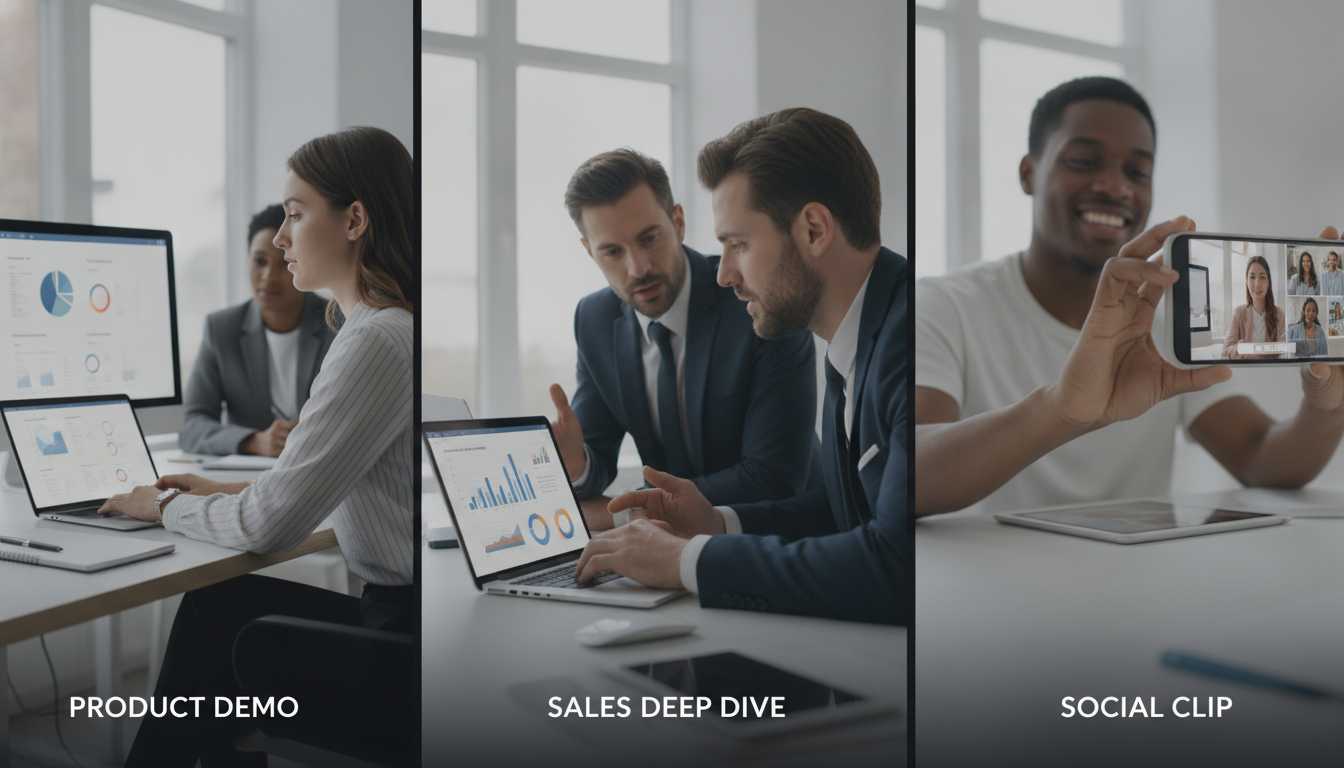

  • 3. Picking the Right Starting Point: Product Demo vs. Sales Deep Dive vs. Social Clip

    3. Picking the Right Starting Point: Product Demo vs. Sales Deep Dive vs. Social Clip

    Picking the Right Starting Point: Product Demo vs. Sales Deep Dive vs. Social Clip

    Creating product walkthroughs that resonate across sales, marketing, and social media requires choosing the right approach. This post explores three strategies, detailed sales deep dives, polished product demos, and snappy social clips, outlining their unique benefits. We’ll also reveal how Demofable‘s AI-powered solution streamlines generating engaging product demos and boosts content creation efficiency.

    Choosing the Right Starting Point: Product Demo vs. Sales Deep Dive

    What is a product demo?

    A product demo showcases functionality and value to educate and excite potential customers by highlighting key features and demonstrating how they solve problems. These demos target a broader audience, appearing on websites, in marketing campaigns, and within onboarding materials. Concise, visually appealing demos focused on core user experience can shorten sales cycles and increase conversion rates.

    The structure typically follows a narrative arc: problem, solution, demonstration, benefits. For example, a SaaS project management tool might illustrate the chaos of disorganized tasks, then demonstrate how the tool brings order and efficiency.

    When to use a sales deep dive

    A sales deep dive is a personalized, in-depth presentation tailored to a specific prospect’s needs. Unlike a general product demo, it focuses on addressing their unique challenges and goals through interactive Q&A and customized demonstrations. This approach requires deeper understanding of the prospect’s business and extensive preparation. For instance, a manufacturing prospect struggling with inventory management would receive a deep dive focused specifically on inventory tracking and reporting features.

    The Benefits of a Social Clip

    Why social clips are perfect for short-form content

    Short-form videos under 60 seconds capture attention quickly and deliver concise messages on platforms like TikTok, Instagram Reels, and YouTube Shorts. They prioritize visual appeal and entertainment over exhaustive detail, making them ideal for brand awareness, lead generation, and driving traffic to longer-form content. Q3 2026 data shows short-form video accounts for 78% of all video consumption across major social platforms.

    coffee shop

    Photo by Quixess Social

    Maximizing Impact

    Effective social clips require thinking visually, embracing trends, and prioritizing entertainment. Use eye-catching graphics, upbeat music, and concise messaging. The goal isn’t a comprehensive tutorial but to pique interest and leave viewers wanting more.

    Demofable’s AI-Powered Solution: How it Works

    Transforming raw screen recordings into polished product demos and documentation can overwhelm teams. Demofable streamlines this workflow by leveraging AI to automate traditionally manual steps. The platform analyzes recordings, identifies key actions, and automatically generates edit-ready sequences.

    computer monitor displaying data dashboard

    How Demofable’s AI edits a recording

    The AI operates through scene detection (identifying logical breaks), action analysis (recognizing clicks and keystrokes), and intelligent redaction (masking sensitive information). It automatically generates captions, transcripts, and step-by-step documentation from the same recording, ensuring consistency while saving time and resources.

    Key point 1

    The AI intelligently flags areas needing attention.

    Key point 2

    The AI generates transcripts and documentation.

    Key point 3

    The AI incorporates intelligent redaction.

    Tips for Getting the Most Out of Demofable

    smartphone screen

    Photo by Quixess Social

    How to choose the right starting point

    Product demos target broad audiences showcasing overall functionality. Sales deep dives target qualified audiences addressing specific pain points. Social clips prioritize maximum reach and virality. To determine the best starting point, consider your target audience and desired outcome. Demofable’s flexible platform accommodates any approach.

    Key point 1

    Product demos target a broad audience.

    Key point 2

    Sales deep dives address specific pain points.

    Key point 3

    Social clips aim for maximum reach.

    Conclusion

    Creating engaging product walkthroughs doesn’t have to be time-consuming. By understanding different approaches, product demos, sales deep dives, and social clips, and leveraging the right tools, you can streamline your workflow and deliver compelling content. Demofable’s AI-powered solution automates manual tasks, freeing your team to refine content. Start creating with Demofable today.

  • Building a Renderer That Never Has to Guess

    Building a Renderer That Never Has to Guess

    Building a Renderer That Never Has to Guess: Why Privacy Detection Matters in Your AI Video Editor

    Most screen recording tools treat privacy as a post-production afterthought, scanning finished video frames for sensitive data like credit card numbers, API keys, or customer names, then applying redaction after rendering. This reactive approach creates friction: missed redactions slip through, structural changes demand expensive re-encodes, and demo teams face bottlenecks waiting for fixes. A renderer that detects what matters *before* committing pixels eliminates this guessing game.

    The Guessing Problem: Why Pixel-Based Detection Falls Short

    How most screen recorders handle sensitive data

    Traditional tools capture video, render it, then scan finished frames for sensitive information using pixel-based detection. The problem is that pixels lack context. A 16-digit number could be a customer account ID requiring redaction, a test credit card from documentation, or a serial number in a help article. The detector can’t distinguish, leading to over-redaction or missed threats.

    The cost of catching problems too late

    By the time a pixel-based scanner flags sensitive data, the renderer has already committed to video structure, frame rates, compression, and timing. If redaction changes are needed, the entire segment must be re-encoded. For demo teams publishing dozens of walkthroughs weekly, this creates compounding delays. A missed redaction discovered after publishing is far worse: it means pulling the video, re-rendering, and rebuilding customer trust.

    Knowing What Matters: Structural Detection Before Rendering

    Understanding the page structure, not just the pixels

    An AI video editor that understands the structure of what you recorded, the DOM elements, form field labels, data hierarchies, can identify sensitive information before rendering begins. Structural analysis looks at semantic meaning: a field labeled “Customer Email” contains data needing redaction; a phone number cited in a help article doesn’t.

    code architecture diagram

    Photo by Quixess Social

    Structural detection distinguishes between user-entered data and UI chrome, between PII fields and reference numbers. This context flows directly into the renderer’s planning phase, so blurring, zooming, and timing decisions all account for what’s private before a single frame is encoded.

    What gets flagged, what doesn’t, and why it matters

    Structural analysis prioritizes context over pattern matching. When recording a customer onboarding flow, the system sees form labels, input types, and data validation rules. It knows the email field in a signup form is sensitive, but the “Enter email” placeholder text is not. A credit card input field triggers immediate flagging; a “Card Number” label in a static diagram doesn’t.

    The Human Gate: Why AI Can’t Own Privacy Alone

    Automatic detection is a starting point, not an endpoint

    Structural analysis provides powerful privacy detection, but remains incomplete without human judgment. An algorithm can identify that a customer name appears in a chat window or that an account number was spoken during narration, yet cannot determine whether that exposure matters for this audience or serves a legitimate purpose.

    locked yellow file folder

    A product manager reviewing a demo knows whether revealing a specific company name violates an NDA. A compliance officer understands which data elements trigger audit requirements. The AI proposes redactions based on patterns; the human approves based on judgment.

    Building review workflows that catch what algorithms miss

    Best-in-class demo tools surface the AI’s redaction plan before rendering begins, letting reviewers inspect every proposed edit in seconds. This collaborative moment catches mistakes that would otherwise propagate into published videos. Privacy becomes a shared responsibility: the AI identifies risk, the human confirms intent, and the renderer executes with certainty.

    Faster Renders, Fewer Re-Dos: The Speed Advantage of Building Right

    Why early detection prevents costly re-renders

    When privacy detection and human review occur before rendering starts, the encoder has complete information about what to protect. It renders once, gets it right, and moves forward. Teams that defer privacy review until post-production face expensive re-encoding cycles when privacy issues surface.

    computer processing speed efficiency

    Photo by Quixess Social

    From one recording to multiple safe outputs

    A single reviewed redaction plan scales across multiple output formats. Generate widescreen, vertical, and square aspect ratios from the same approved edit without re-running privacy detection. Teams shipping 10+ demo videos monthly can reclaim hours per week. Multi-aspect-ratio rendering from a single verified edit plan means teams capture momentum instead of watching opportunities close while videos re-encode.

    Conclusion

    A renderer that never has to guess is engineered from the ground up with full visibility into what’s sensitive and shareable. Structural detection identifies risk patterns, human review validates intent, and the encoder executes with certainty, eliminating guesswork and costly re-renders. Privacy, speed, and accuracy aren’t competing priorities, they’re the same outcome when detection and review happen before rendering. Audit your current demo workflow: How many videos get re-encoded because privacy issues surface too late? Building the renderer right the first time recovers both time and trust.

  • The Redaction Signal Nobody Talks About: DOM Selectors vs. Pixels

    The Redaction Signal Nobody Talks About: DOM Selectors vs. Pixels

    The Redaction Signal Nobody Talks About: DOM Selectors vs. Pixels

    Most screen recording tools blur sensitive data after the fact, treating video as a flat image and missing the actual structure of what happened on screen. Understanding why DOM-level detection matters for privacy and how it differs from pixel-based redaction will change how you think about screen recording security. The difference isn’t technical, it’s the gap between appearing secure and actually being secure.

    Why Pixel-Based Redaction Leaves Gaps

    The limitation of post-recording blur

    Pixel-based redaction works like applying a blur filter to a photograph: identify where sensitive data appears on screen, then obscure those pixels. The problem is timing. By the moment redaction happens, the original screen recording has already been captured as a flat image. The tool has no knowledge of what the data *is*, only where it *appears*. A name might be blurred, but the label “Customer Name:” remains fully visible next to the blur box. Context clues this obvious make redacted information reconstructible through simple inference.

    Multiple instances of the same field compound this issue. If a customer’s name appears in three different places at different font sizes or colors, pixel-based tools may catch some instances and miss others, or redact them inconsistently. Inconsistent redaction signals that something sensitive was there.

    What pixels can’t tell you about context

    A pixel-based system sees only the final rendered output. It cannot distinguish between a label and a value, or know that a blurred field is a credit card number versus a phone number versus an order ID. Contextual information, headers, labels, adjacent fields, section titles, remains unredacted. Yet these clues are often enough to identify what was hidden.

    DOM Selectors: Understanding What Data Actually Is

    Reading the document structure, not just the display

    DOM selectors operate at a different layer entirely. The Document Object Model is the underlying structure of a web page, the semantic blueprint that defines what each element *is*, not just what it looks like. A DOM selector targets an email input field by its type attribute (input[type="email"]), a credit card field by its name or data attribute, or a password field by its role.

    code editor DOM elements

    Photo by Quixess Social

    Advanced screen recording solutions implementing DOM-level redaction catch sensitive data before it renders. The system knows an email is an email because it reads the HTML structure. This happens at the source, at the level of actual data, rather than at pixels on screen.

    How semantic understanding prevents context leakage

    Because the platform understands what data *is*, it applies consistent rules. Every instance of a field marked as “email” gets redacted, regardless of font size, color, or position. No gaps. No inconsistencies. No visual signals that something was hidden. Semantic redaction shifts protection from cosmetic to structural, where privacy is built into how data is identified and handled.

    The Real Risk: Redaction Without Understanding

    When blurring creates false confidence

    A compliance officer opens a demo video and sees carefully placed blur boxes over sensitive fields. The visual signal reads as “safe,” but this confidence is structural illusion. Blur addresses only the surface layer of data exposure, not the underlying risk.

    big data security concept

    Consider a real scenario: a customer success team records a walkthrough showing an API key partially blurred, but the email address tied to it remains visible. A technical user can cross-reference internal systems to reconstruct context. Pixel-based redaction tools miss these relationships because they operate without understanding page structure or data semantics.

    The compliance and trust problem

    GDPR, HIPAA, and SOC 2 frameworks don’t care whether data is blurred. They care whether it’s genuinely inaccessible. Compliance fails if redaction decisions were made without understanding data structure. Customer success teams sharing recordings with prospects face eroded trust if a prospect discovers partially redacted credentials or customer names visible through context. A demo tool that cannot distinguish between sensitive and non-sensitive data creates institutional liability.

    How Teams Should Evaluate Redaction in Screen Recording Tools

    Questions to ask before choosing a solution

    When evaluating your next screen recording platform, shift your evaluation from “Does it blur?” to “Does it understand?” Ask directly: Does the solution analyze page structure, DOM elements, field labels, and data hierarchies, or does it only pattern-match pixels?

    team code review discussion

    Photo by Quixess Social

    Demand visibility into redaction decisions before the video is final. Test with real data in natural workflows and manually verify nothing remained visible through association or inference.

    Conclusion

    Pixel-based redaction feels safe but is structurally incomplete, it addresses appearance without ensuring genuine data safety. DOM-level detection adds the semantic understanding that catches what pixels miss: context, relationships, and reconstructible information. Privacy isn’t about blur; it’s about ensuring sensitive data remains genuinely inaccessible. When evaluating your next product demo builder or screen recorder, ask whether it understands what data is, not just what it looks like. The distinction determines whether your redaction strategy protects you or creates false confidence.

  • Why We Don’t Predict How Long Narration Will Take

    Why We Don’t Predict How Long Narration Will Take

    Why We Don’t Predict How Long Narration Will Take

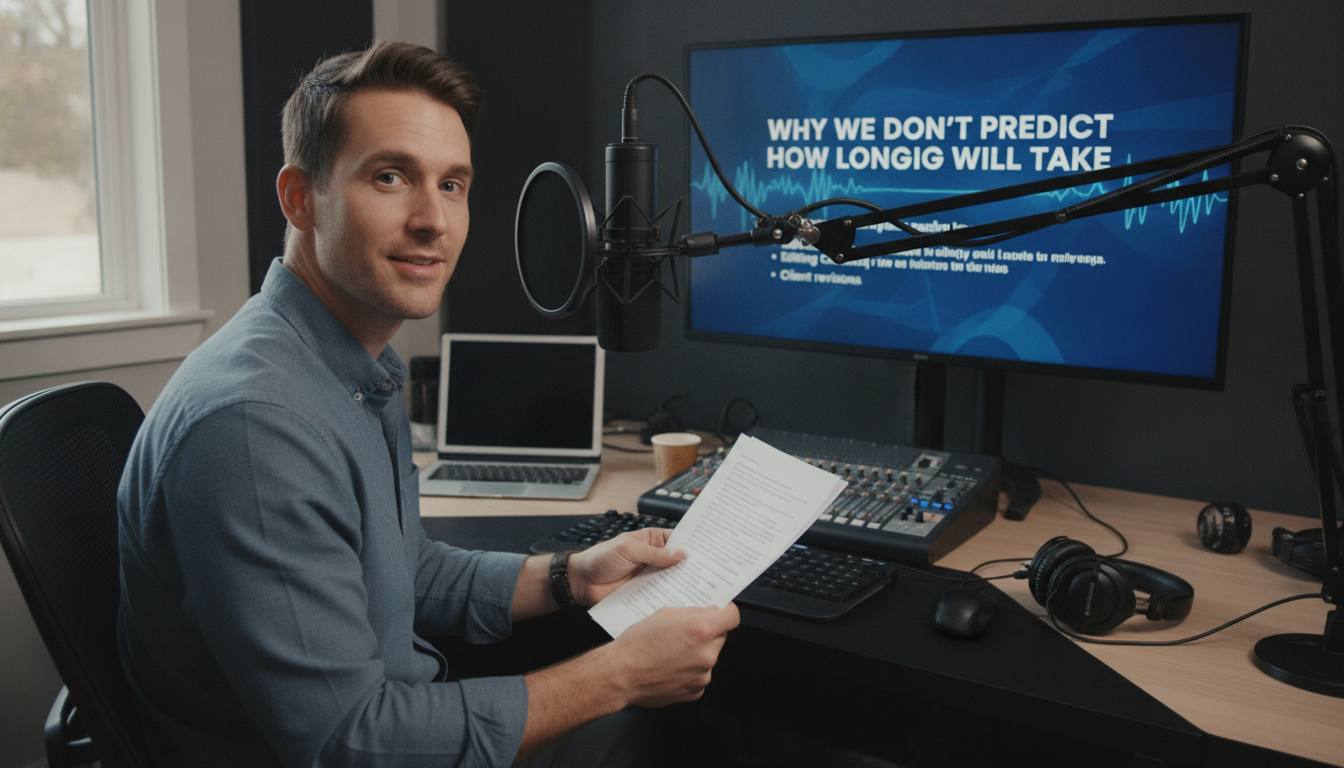
    Product teams often try to predict demo narration length before recording starts. It seems rational, plan your content calendar, schedule reviews, set audience expectations. But this approach fails the moment your narrator hits record. Unscripted walkthroughs contain natural pauses, corrections, and moments of discovery that no pre-recording estimate can capture. This article explores why narration duration remains fundamentally unpredictable and how accepting this reality streamlines your entire demo creation workflow.

    The Estimation Problem Nobody Talks About

    Why product teams estimate narration length upfront

    Marketing teams want to know if a walkthrough fits a 60-second social media slot or requires a 5-minute format. Sales organizations need to schedule prospect demos within time-boxed calls. Estimating upfront feels like planning and taking control of an uncertain process. Scripts get word counts, speaking pace assumptions get applied, and a rough duration emerges as a commitment. Yet this estimate collapses under the weight of reality.

    The hidden variables that destroy predictions

    Real walkthroughs contain pauses, corrections, and thinking moments that never appear in written scripts. A narrator might hesitate before clicking a button, backtrack to clarify a point, or pause to let a concept sink in. One speaker might explain a feature in 90 seconds; another might take three minutes covering the exact same ground with natural breathing room. Product complexity adds another layer, explaining a feature to an internal engineering team differs fundamentally from walking a prospect through the same functionality. Actual narration time becomes a function of speaker pace, product familiarity, and audience background, variables that only become clear during recording.

    What Makes Unscripted Screen Recordings Unpredictable

    Natural speech patterns create timing chaos

    Humans don’t speak like scripts read. Speakers naturally hesitate when formulating explanations, repeat themselves for emphasis, and backtrack when repositioning points. These verbal behaviors are features of effective communication, but they’re invisible to pre-recording estimation models.

    screen recording software

    Photo by Quixess Social

    Consider a product walkthrough explaining a dashboard feature. A script might read: “Click the settings icon and select analytics.” The actual narration might unfold as: “So here, um, if you click this settings icon, or actually, let me show you the easier way, you see this dropdown menu? Click it, and then you’ll see analytics, which is probably what you want.” That’s natural explanation, 40% longer than the script suggested, and that variance cascades across your entire demo.

    Product interaction speed varies by scenario

    Clicking speed, scrolling duration, and page load times add unmeasurable delays. A demonstration filmed on a fast development environment might take 30% longer in front of a customer with a slower network. Different audiences also require different pacing, a sales prospect demo needs more context than an internal training video, while a support walkthrough for power users covers ground faster than one targeting new customers. The same feature explanation spans 2-5 minutes depending on context, making a single predicted duration meaningless.

    The AI Video Editor Approach: Measure After, Not Before

    Recording first removes the guessing game

    When you record without a locked script, you’re capturing authentic user behavior: natural pauses, clarifications, and real-time thinking. This raw footage contains the truth about how long your explanation actually takes to deliver, unlike estimates based on assumptions.

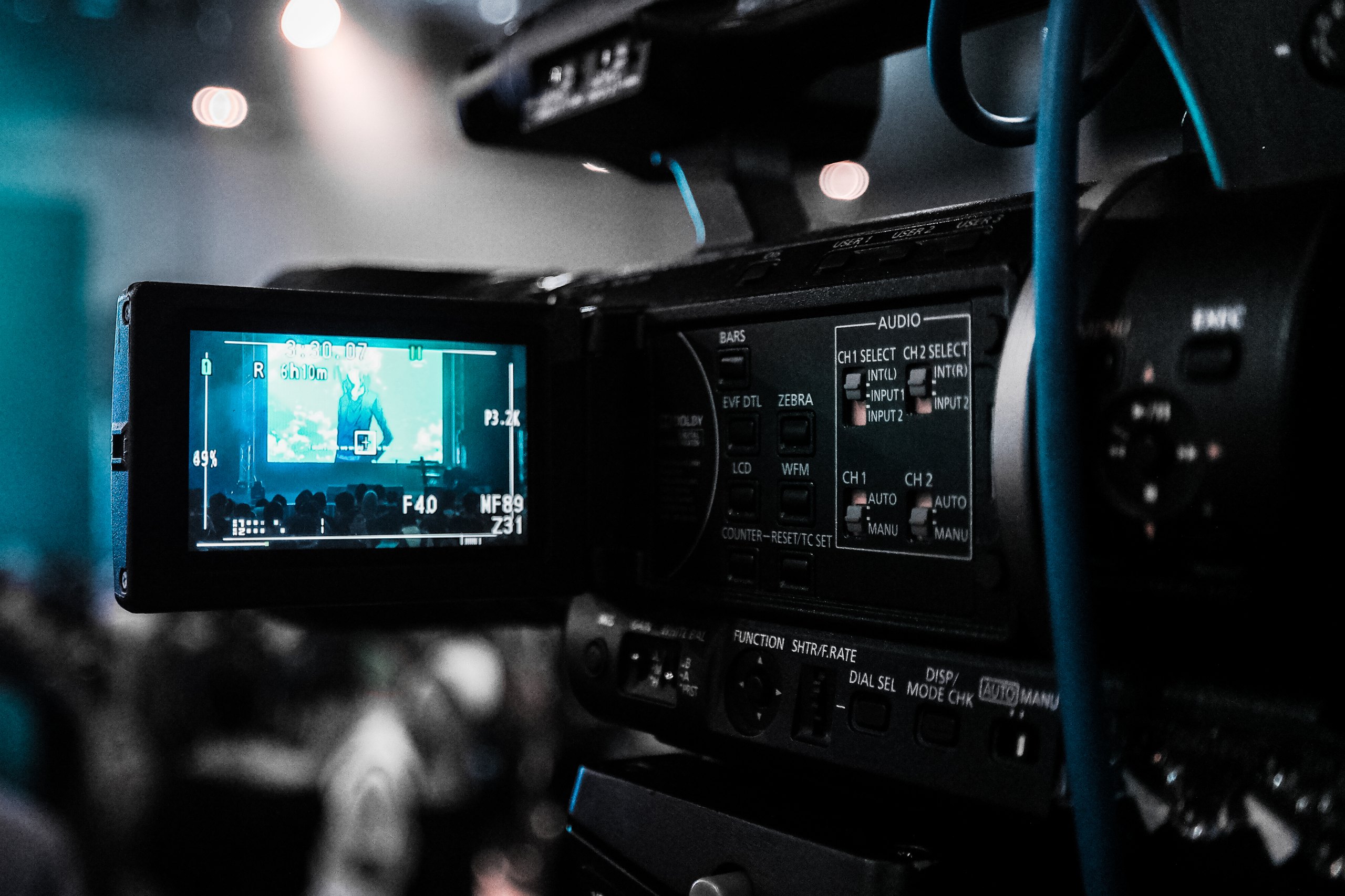
    professional video camera screen

    Let editing tools work with actual data

    Once your screen recording is complete, AI-powered editors can transcribe narration in real time and analyze the timeline with precision. These tools intelligently trim dead air, remove false starts, and clean up verbal stumbles without altering meaning or flow. An AI video editor works backward from recorded reality rather than forward from guesses, making your final demo length a measurement based on actual delivery.

    Why This Matters for Your Demo Workflow

    Planning timelines without predictions

    When you know the exact length only after editing is complete, project bottlenecks disappear upstream. Teams stop asking “How long will this narration take?” and start asking “What version do we need?” A five-minute walkthrough can be cut to two minutes for social media, expanded to eight minutes for documentation, or segmented into thirty-second clips for onboarding.

    product demo workflow

    Photo by Quixess Social

    Building flexibility into your process

    Tools that function as documentation generators and product demo builders enable you to produce multiple formats without re-recording. Your screen recording is captured once, then intelligently shaped into different assets, each with known timing and scope. This flexibility frees teams to focus on format and audience rather than duration uncertainty.

    Conclusion

    Stop trying to predict narration length; let the recording reveal it. The most efficient demo workflows measure after capture, not before, removing estimation errors entirely. When your screen recording becomes your source of truth and your editing process is data-driven, every version of your demo arrives with precision and confidence. Start recording first. Measure second. Build your timelines based on what actually happened.

  • Engineering (17)

    Engineering (17)

    Beyond Raw Footage: How Modern AI Video Editors Transform Product Demos

    Product teams waste countless hours re-recording and editing demo videos because traditional screen recording treats footage as finished pixels rather than structured data. AI video editors that understand intent, what was clicked, what was said, what needs privacy protection, can automate the entire pipeline from raw recording to polished output. This article explores why conventional workflows fail, how modern AI reverses the production cycle, privacy-first principles that protect sensitive data, and real use cases showing who benefits most.

    Why Traditional Screen Recording Workflows Still Feel Broken

    The Re-recording Penalty

    A single stumble, a misclick or verbal mistake, forces teams back to square one. Unlike live performance, screen recordings offer no graceful recovery. A five-minute demo might require fifteen minutes of raw footage after false starts. The fundamental problem is that editing mistakes mid-narrative is extraordinarily difficult: cutting a three-second flub requires managing audio sync, ensuring visual continuity, and preventing jarring jump cuts that confuse viewers.

    Manual Editing Is a Time Sink

    After recording, manually blurring sensitive data, customer names, account IDs, email addresses, is tedious and error-prone. A single overlooked detail can expose confidential information. Creating multiple aspect ratios compounds this burden: teams need widescreen for web, vertical for social media, and square crops for ads. This typically means exporting and reformatting the same video three times separately, doubling the work required.

    How an AI Video Editor Reverses the Workflow

    Understanding Structure, Not Just Pixels

    Modern AI video editors capture metadata during recording, what you clicked, typed, scrolled, and navigated, so the system understands the logical flow of your demo rather than treating it as a stream of pixels. This structural awareness is foundational. The platform recognizes semantic meaning: “The user opened Settings, then clicked Billing,” rather than just observing pixel changes.

    video editing software interface

    Photo by Quixess Social

    Because the solution understands intent, it can make intelligent decisions about where cuts belong, which sections merit emphasis, and what requires redaction. Analysis shows that video editing platforms leveraging structural metadata reduced manual review time by up to 60% compared to pixel-based approaches. When the system knows that a click triggered a navigation action, it can auto-generate chapter markers, suggest optimal cut points, and propose which sections need re-voicing or zooming.

    Proposing Edits Before Rendering

    Instead of handing you a finished product, intelligent systems show you an edit plan first: where cuts will happen, which sections will be zoomed, where narration will be re-voiced, and what will be blurred. This human review step catches AI mistakes, especially critical for privacy detection, before the video ships to customers.

    One recording automatically generates multiple output formats because the tool understands underlying structure and can reshape it for any medium. A widescreen recording becomes a vertical social clip and a square ad version without separate exports. Teams can review the proposed edit in minutes rather than spending hours in a traditional editing suite. For teams creating frequent product walkthroughs, see our detailed guide on converting unscripted screen recordings to step-by-step guides.

    The Privacy-First Approach That Sets Modern Tools Apart

    Semantic Detection vs. Pixel-Based Guessing

    Traditional tools handle sensitive data reactively, scanning finished video for patterns using pixel-level image analysis after recording. This approach is fundamentally unreliable, a customer’s email might render differently across browsers, and internal metrics lack consistent visual markers.

    big data security concept

    Human Approval Is Non-Negotiable

    The best privacy workflow doesn’t automate the final decision. Instead of automatically blurring detected data, the platform generates a detailed edit plan for human review. A product manager can see exactly what the AI flagged and approve the blurring strategy before rendering. This makes privacy deliberate, not invisible.

    Real Use Cases: Who Benefits Most

    Sales Teams Personalizing Demos at Scale

    Sales reps record quick, unscripted walkthroughs tailored to each prospect without worrying about perfect delivery or accidental data exposure. The AI handles polishing: removing pauses, tightening pacing, and flagging sensitive data for review. One rep can produce personalized demos for multiple prospects without studio production overhead. A recorded walkthrough becomes shareable within hours, personalized enough to feel genuine but polished enough to represent the product credibly.

    video production studio workflow

    Photo by Quixess Social

    Support and Product Teams Building Evergreen Assets

    A single recorded session becomes multiple outputs: a help-center video, step-by-step documentation, and social-ready clips in different formats. Customer success teams no longer choose between video and written guides, they get both automatically from one source. Product managers announcing features can publish vertical clips for social media, widescreen versions for webinars, and square formats for email, all extracted from one recording.

    Conclusion

    The next generation of screen recording tools understand demo logic, what was clicked, what was said, what needs protection, not just pixels on screen. By shifting from a finished-video model to a human-approved edit-plan model, teams gain speed and control, freeing engineers and product managers from manual editing. If your team still re-records mistakes or manually stitches demos together, explore tools designed around AI editing. Record once, review the edit plan, and get polished videos and documentation automatically ready to share.

  • Converting Unscripted Screen Recordings to Step-by-Step Guides: An Engineer’s Workflow

    Converting Unscripted Screen Recordings to Step-by-Step Guides: An Engineer’s Workflow

    Converting Unscripted Screen Recordings to Step-by-Step Guides: An Engineer’s Workflow

    Raw screen recordings capture authentic product workflows, but they rarely translate directly into polished documentation. Engineers stumble over explanations, sensitive data flashes across the screen, and technical writers spend days manually transcribing content into step-by-step guides. Modern AI-powered solutions now eliminate this bottleneck, automatically converting unscripted screen recordings into edited demo videos and professional written documentation, all from a single take.

    Why Manual Documentation From Screen Recordings Costs Time and Money

    The traditional workflow bottleneck

    Product teams typically record multiple takes of the same workflow. Once recording wraps, editors trim dead air and remove false starts, while technical writers transcribe narration, break it into discrete steps, and create accompanying screenshots. According to 2025 industry data, teams spend an average of 4-6 hours editing a 5-minute demo video, plus 3-4 additional hours creating written documentation. For a team producing just 10 walkthroughs per quarter, that’s 70-100 hours of pure editing work. Compounding this, a single demo video requires adaptation for websites, YouTube, LinkedIn, and mobile platforms, necessitating multiple re-editing cycles.

    Where editing and privacy concerns create delays

    Privacy and security add another layer. Screen recordings frequently capture sensitive information: API keys, customer account numbers, and configuration details. Manual review and pixel-by-pixel blurring are tedious and error-prone, risking overlooked credentials that create legal and reputational damage. These friction points delay documentation behind product releases, leaving customer success teams scrambling for walkthroughs and support tickets spiking from lack of clear guidance.

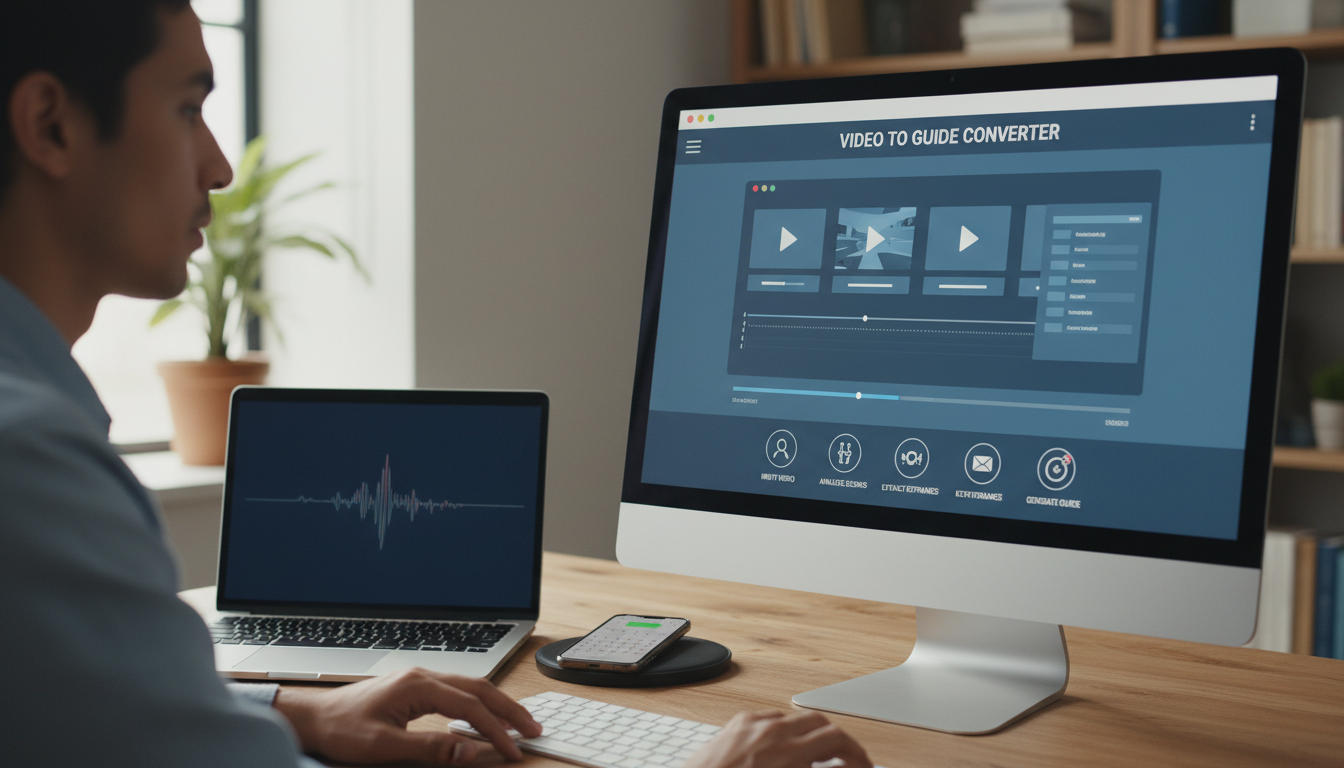
    How AI-Powered Video to Guide Conversion Works

    Capturing both recording and interaction data

    Modern solutions like Demofable use AI to transform how teams capture screen recordings. Rather than recording video alone, a browser extension simultaneously logs every click, scroll, input field interaction, and UI element accessed during the demonstration. This dual-capture approach creates structured data that the system understands not as pixels, but as discrete workflow steps tied to specific application actions. This metadata becomes the foundation for both automated video editing and written documentation generation.

    AI video processing screen

    Photo by Quixess Social

    Automated transcription and editing decisions

    The solution automatically transcribes narration using advanced speech recognition, then applies intelligent editing logic. AI identifies verbal filler words, awkward pauses, and self-corrections that interrupt clarity. It detects moments where zoom emphasis would improve comprehension and flags those automatically. Sensitive information detection runs in parallel, scanning for customer email addresses, account numbers, API keys, and internal domains for automatic blurring. Human reviewers then approve these flags before rendering, ensuring no confidential data reaches public documentation.

    Human-in-the-loop approval process

    Automation handles the heavy lifting, but human judgment remains essential. Reviewers receive a formatted report showing flagged privacy issues, suggested edits, and generated documentation. They approve privacy masks, confirm editing suggestions, and refine the written guide. This structured review takes minutes, not hours. Once approved, a single recording renders automatically into multiple formats, polished video, mobile-optimized versions, and a complete written guide, all synchronized and ready for deployment.

    From Single Recording to Multiple Polished Outputs

    Generating aspect-ratio-specific video versions

    The platform automatically generates aspect-ratio-specific versions from a single recording, intelligently reframing content for widescreen (16:9), vertical (9:16), and square (1:1) formats simultaneously. Sales teams receive polished demos optimized for presentation screens, while marketing gains mobile-ready content for LinkedIn and TikTok without additional recording sessions.

    Automated step-by-step guide generation

    Demofable‘s AI converts screen recordings into detailed, step-by-step written guides automatically. Each frame becomes a numbered step with accompanying descriptions, eliminating parallel documentation workflows. A support team previously requiring hours of manual transcription now receives a fully formatted help-center article in minutes, complete with captured screenshots and contextual descriptions.

    Real-World Impact for Product and Engineering Teams

    Accelerating onboarding and customer education

    With automated video-to-guide conversion, a feature walkthrough ships to customers within hours of recording, not days. Customer success teams build comprehensive onboarding libraries without hiring freelance producers or straining internal resources. Sales teams can record quick, tailored walkthroughs specific to industry use cases, generating multiple polished versions from one take so each prospect receives a personalized experience.

    engineering team collaboration

    Photo by Quixess Social

    Reducing production costs and tool overhead

    Traditional workflows require multiple tools: screen recording software, video editing suites, transcription services, and design platforms, plus contracted freelancers. Consolidating these functions into a single workflow eliminates redundant tools and coordination friction. Teams no longer need voice actors, external agencies, or multiple editing platforms, freeing engineers and product managers to focus on building features.

    Conclusion

    Automated documentation from video transforms how engineering and product teams scale customer education and sales enablement. By converting authentic screen recordings into polished videos, written guides, and social-ready clips optimized for their intended audience, teams cut documentation time by up to 80% while maintaining quality and consistency. This enables faster feature announcements and equips sales teams to close deals with confidence.